Recruiting email works best from your own address: it lands in your Sent folder, and replies come back to you. But then your recruiting software doesn't know what you sent, who answered or which address bounced, so you log it by hand or the record falls behind.
Connect Outlook once, with your Microsoft sign-in, and identifyd sends email from your own mailbox. Every email is logged with its touch, replies and bounces are caught for you, and email sequences go out from your address. Use Gmail? There's nothing to connect: each email opens in Gmail, filled in and ready to send, and identifyd logs it when Gmail sends it.
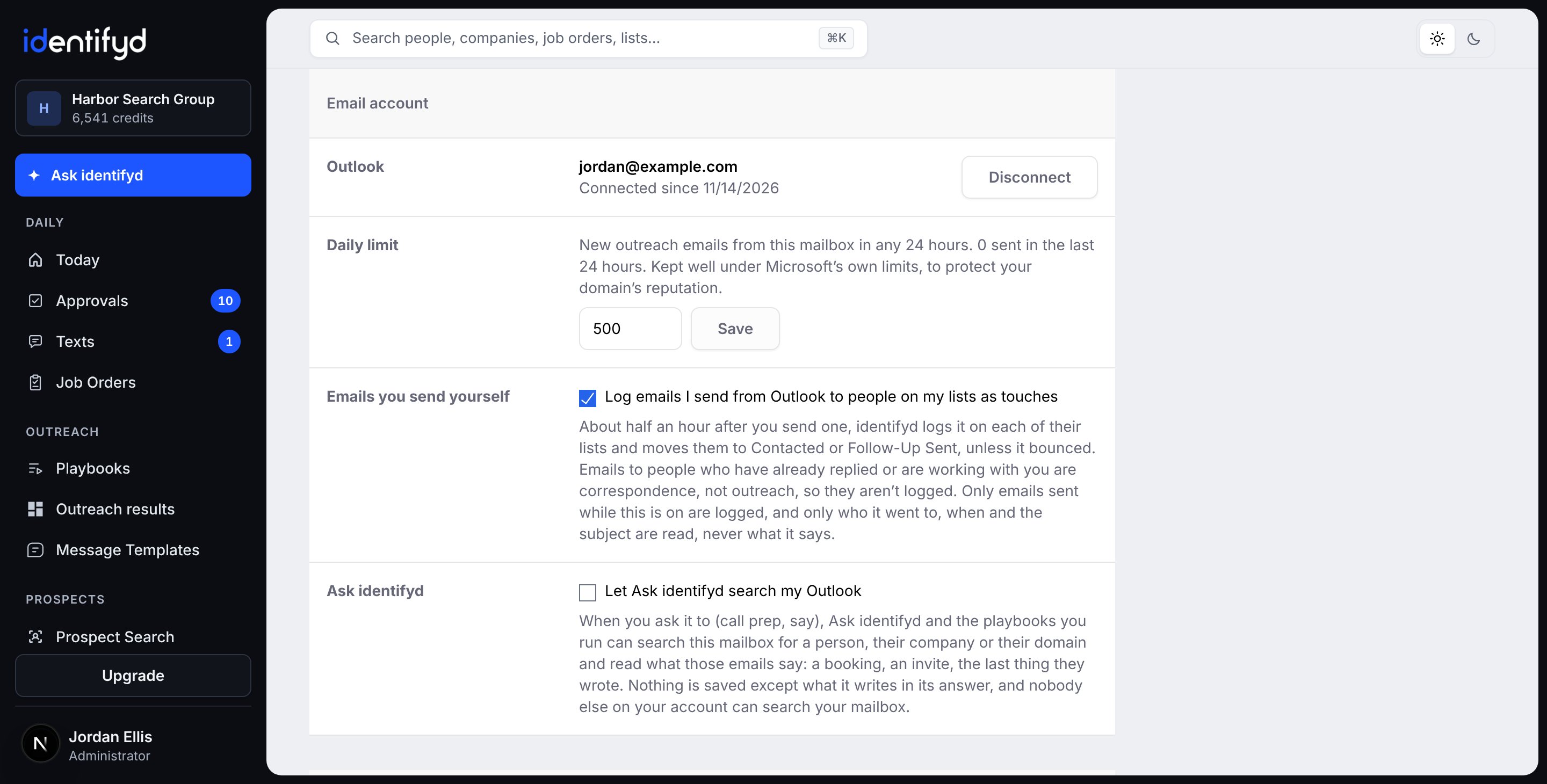
Outlook on Microsoft 365, and personal Outlook.com accounts, connect directly. Gmail and Google Workspace work through Open in Gmail, with nothing to connect. Email from your own account is on Starter, Growth and Scale, and automated email sequences are on Growth and Scale.
In User Settings, under Email account, click Connect Outlook and sign in with Microsoft. identifyd never sees your password, and you can disconnect at any time. Many Microsoft 365 organizations require an admin to approve apps that work with email. If yours does, identifyd gives you a page to send your admin, and once they approve, everyone at your company connects as usual.
Only what it needs to. It reads replies from people on your lists to email you sent them, bounce notices, and LinkedIn and Calendly notices about people on your lists. Other mail is never read beyond who sent it. For emails you write yourself, it reads only who they went to, when and the subject, never what they say, and you can turn that off. Two features read what emails say, each only if you turn it on: Ask identifyd searching your Outlook when you ask it to, and Time to reconnect.
Google lets apps send email through Gmail for you only to people who opted in, and outreach to new prospects isn't that. So identifyd never signs in to your Gmail. Open in Gmail fills in each email in Gmail's own compose window, you press Send, and identifyd logs it when Gmail sends it. Sequences, approved emails that send themselves on their day, and logging email you write yourself need Outlook.
It's built not to. Email goes from your own mailbox, spaced out, under a daily limit well below Microsoft's own. Each outreach email carries your postal address and an unsubscribe link, and anyone who unsubscribes or bounces goes on your do-not-email list, so they aren't emailed again. With Gmail you press Send yourself, and Gmail's own limits apply.
identifyd stops their email sequences, closes any drafts still waiting to them, moves them to Returned My Outreach and lists them under People to answer on your Today page. identifyd AI sorts each reply, so you see what it's about at a glance.
