Spreadsheets and generic CRMs weren't built for recruiting. They don't know the difference between a cold prospect, a job order lead and a client, so your real pipeline lives in your head.
identifyd's prospect lists use recruiting stages, from Not contacted through Conversation Scheduled, JO Lead and Client, so everyone on every list has a clear status. Company records tie people to the firms they work for, and notes stay with each record.
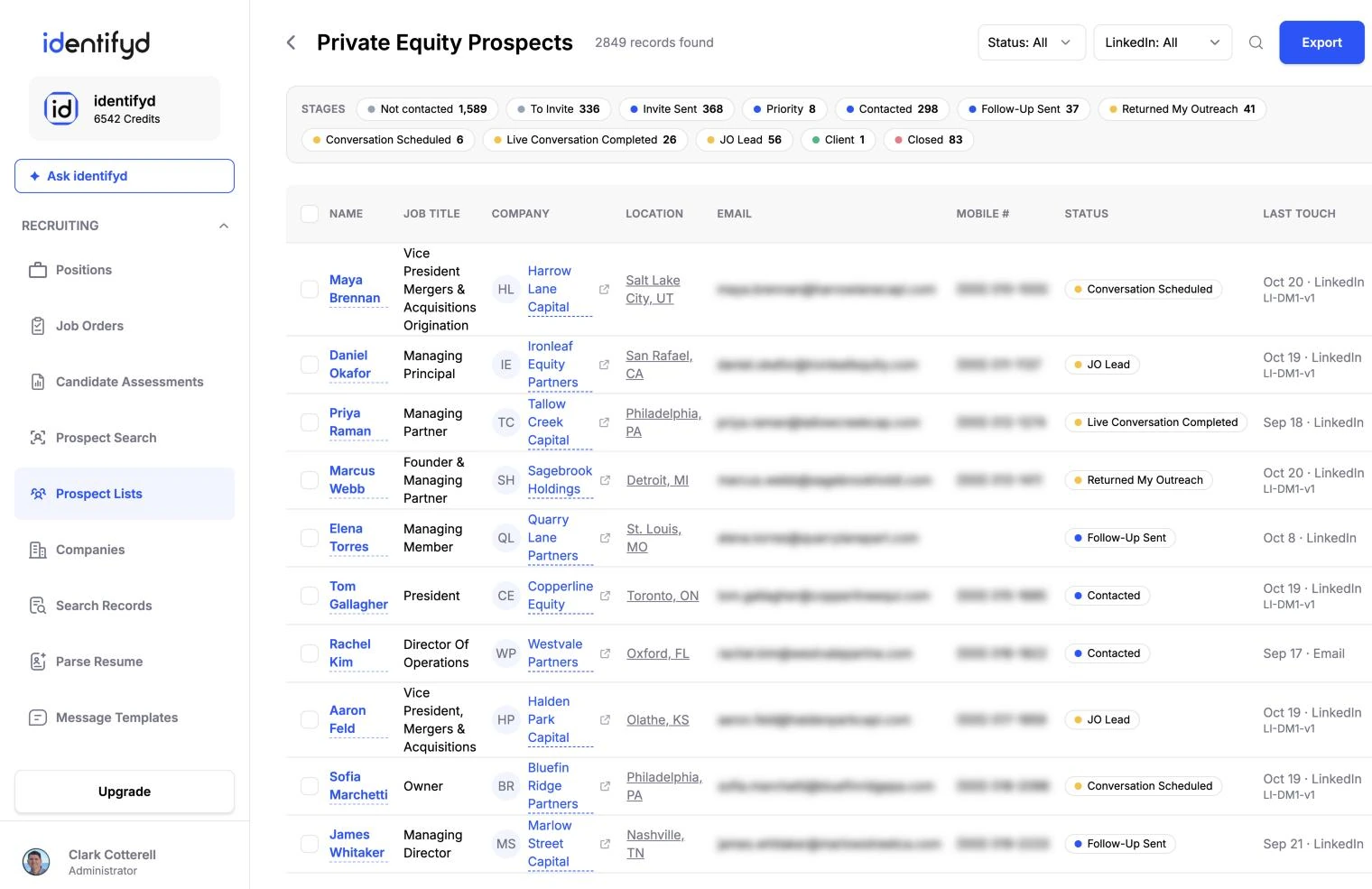
Prospect lists move through Not contacted, To Invite, Invite Sent, Priority, Contacted, Follow-Up Sent, Returned My Outreach, Conversation Scheduled, Live Conversation Completed, Assessment Sent, JO Lead and Client, with Presented, Interviewing, Offered, Hired and Closed for candidates.
Yes. Lists belong to your company account, so everyone on your team works from the same records.
identifyd works in your phone's browser and can be added to your home screen like an app.
