A recruiter's day is spread across an inbox, LinkedIn, a calendar and a pipeline. By the time you've checked them all, the morning is gone, and the reply or follow-up that mattered most is easy to miss.
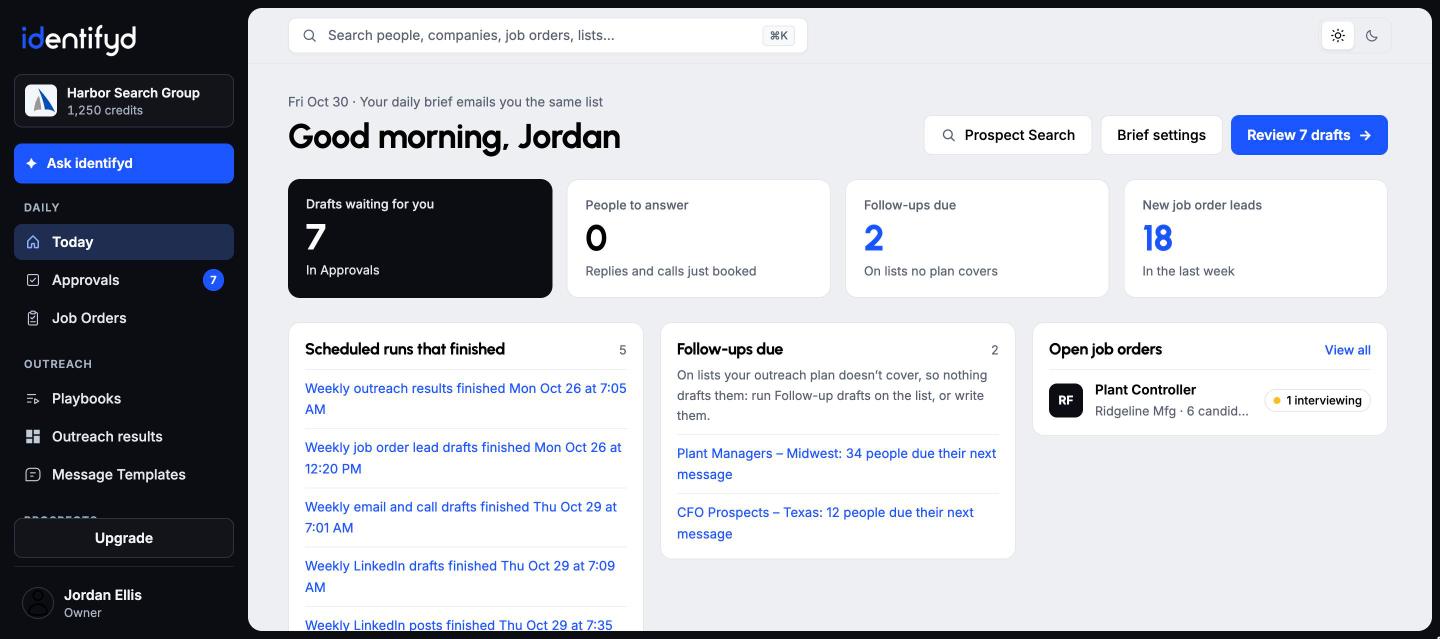
The Today page is identifyd's home screen: drafts waiting for you, people to answer, follow-ups due, new job order leads, scheduled runs that finished and your open job orders, each opening the record or card it's about. The same list arrives as a daily brief email at the times you choose.
At 8:20 AM and 4:20 PM on weekdays until you change it. You choose the times, the days and your time zone, or turn either brief off.
Yes. Today shows the same list as your brief, with more lines in each section, and it's the first page you see when you open identifyd.
The brief is built from identifyd's own records, so it lists only what your records say. Replies under People to answer were noticed in your connected Outlook and summarized by Claude when they arrived.
