Two of a recruiter's best opportunities are easy to miss. A client or a placed candidate changes companies, and the relationship that could become your next search goes with them. And people you had a good conversation with go quiet, because every follow-up reminder stops once someone has replied.
Job change alerts compare each LinkedIn connections import with the last, and check the clients and placed candidates you're not connected to once a month, so a move shows up as a card in Approvals and on your Today page. Time to reconnect watches the people you've had a live conversation with. When it's been 30 days, or the gap you choose, it lists them on Today with a line on how you left things, and Claude drafts a check-in for you to edit and send.
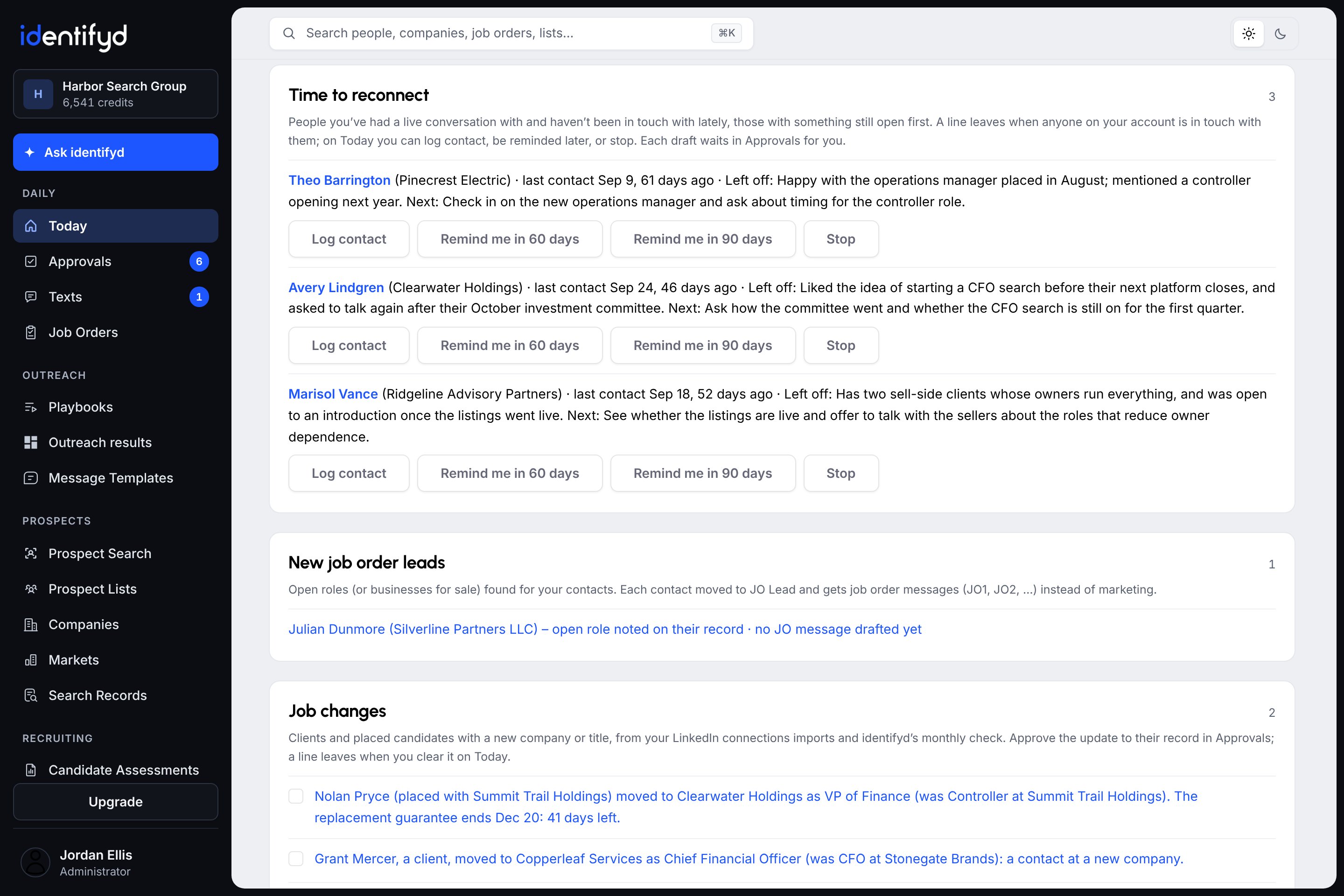
From your LinkedIn connections imports, each compared with the one before, and from a monthly check of the clients and placed candidates nobody on your account is connected to. Approving a card updates their record and adds a note saying what changed.
People on your lists you've had a live conversation with, or who went further, such as clients and candidates you've presented. Any message either way resets the clock: an email, a LinkedIn message from your imported messages, a logged call or a text.
No. Each check-in waits in Approvals for you, at most 10 at a time, and only you can send yours. Time to reconnect is off until you turn it on, because it reads your Outlook emails with these people to write each line.
Job change alerts come with every plan, including Test Drive. Time to reconnect comes with Starter, Growth and Scale.
