Once a client signs, the search ends up scattered across email threads, spreadsheets and calendar invites. When the client asks for a status update, you have to piece it together.
identifyd job orders tie each search to the hiring company and hiring manager, hold the job description and signed agreement, and track every candidate through Presented, Interviewing, Offered and Hired. Interviews are scheduled and tracked on the job order, so status is always one click away.
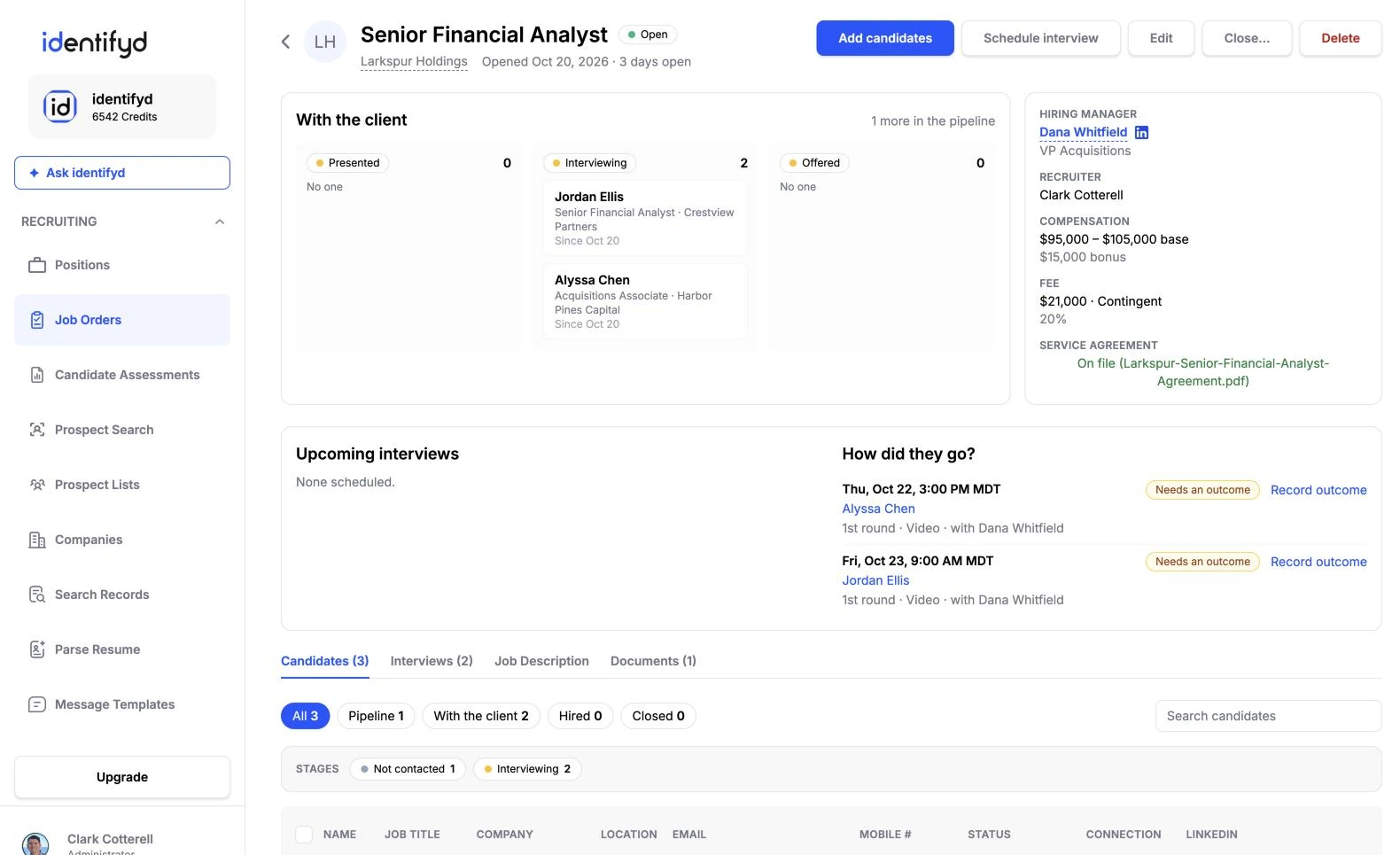
No. identifyd tracks interview dates and times on the job order. You send invites from your own calendar, so nothing reaches a client or candidate that you didn't send.
Prospects you're developing as clients move to the JO Lead stage on your outreach lists. When they sign, the hiring manager becomes a Client tied to the new job order.
Yes. Each job order records the fee type and amount, the recruiter, who referred it, and when and why it closed.
